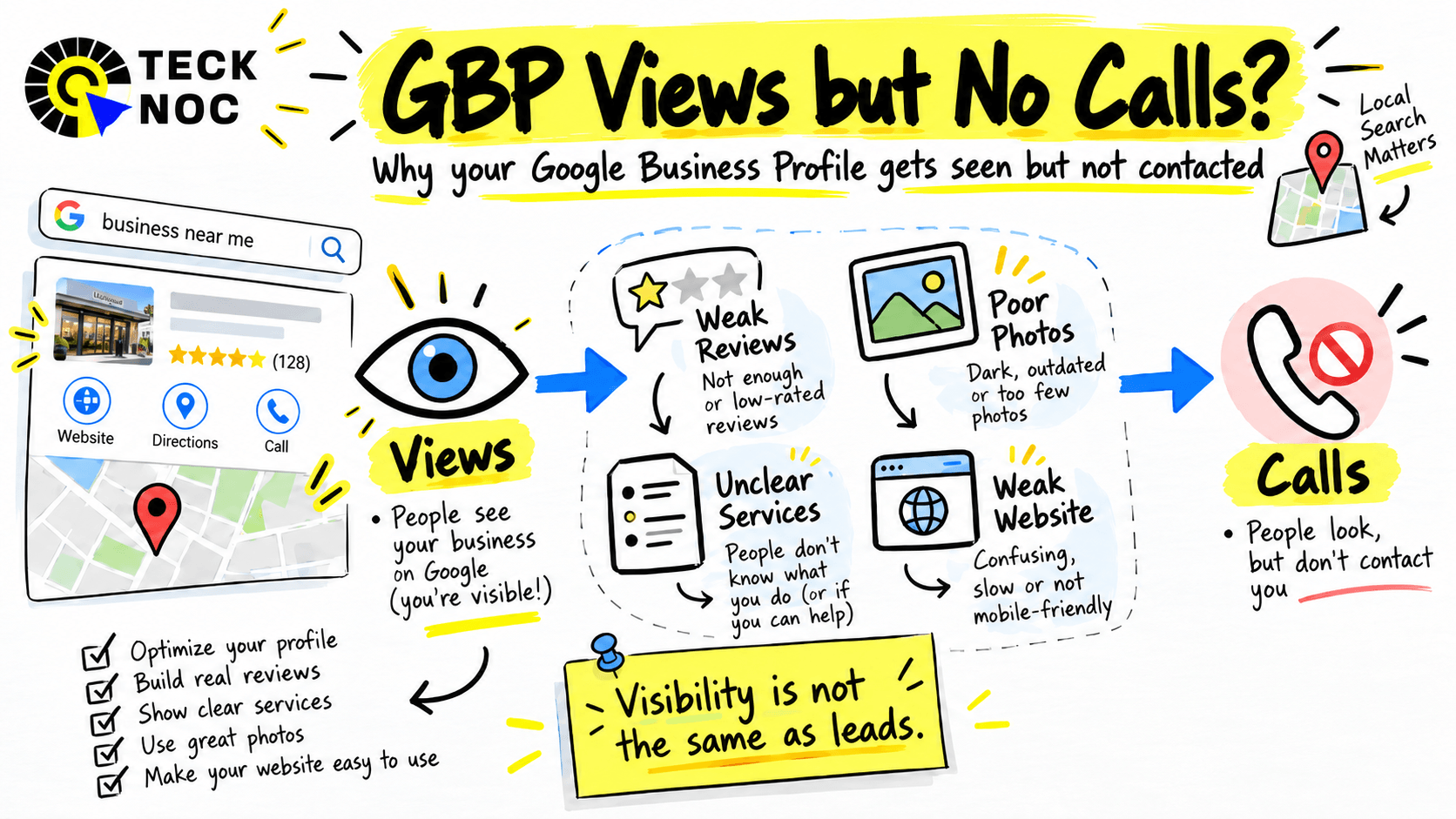
Quick Answer: If your Google Business Profile is getting views but no calls, visibility is probably not the main problem. People may be finding your profile but not seeing enough relevance, trust, or urgency to contact you. Common causes include the wrong business category, weak reviews, poor photos, unclear services, outdated information, a weak website landing page, or traffic from searches that are not ready to convert.
A profile view is only the first step.
The real goal is to turn that visibility into phone calls, website visits, bookings, and qualified enquiries.
What Does a Google Business Profile “View” Actually Mean?
A view means someone saw your Business Profile on Google Search or Google Maps.
It does not automatically mean that person:
- wanted to call you
- was ready to buy
- chose your business
- visited your website
- became a lead
Google separates profile views from interactions such as calls, website clicks, direction requests, and bookings.
That distinction matters.
If your profile gets 1,000 views but very few calls, the question is not simply:
Why am I not getting calls?
The better question is:
What is stopping people from taking the next step after they see my profile?
That is where the real diagnosis starts.
For a broader explanation of how GBP supports local visibility, see our guide to Google Business Profile and local SEO.
Your Profile May Be Showing for the Wrong Searches
One common reason for Google Business Profile views but no calls is irrelevant visibility.
Your profile may be appearing for searches that are related to your business, but not from people who are ready to contact you.
For example, imagine a roofing company appearing for broad searches such as:
- roofing ideas
- roof colors
- roofing materials
- DIY roof repair
Those searches can create visibility without creating leads.
The same problem can happen when the wrong primary category or secondary categories are selected.
Your Google Business Profile should make it clear exactly what you do.
Check:
- primary category
- additional categories
- services
- business description
- service areas
- search terms shown in GBP Performance
Ask yourself:
Are the people viewing the profile actually searching for the services we want to sell?
If the answer is no, more views will not necessarily help.
Your Reviews May Not Be Strong Enough to Win the Customer
Getting into the local pack is only part of the competition.
Once someone sees your business, they usually compare it with the other businesses nearby.
They may look at:
- star rating
- total review count
- how recent the reviews are
- what customers actually say
- whether the business replies to reviews
A profile can receive plenty of views and still lose the customer at this stage.
For example, if your business has:
4.2 stars and 23 reviews
and the competitor beside you has:
4.8 stars and 240 reviews
many customers will naturally investigate the competitor first.
That does not mean you should chase reviews artificially.
The goal is to build a genuine review process with real customers.
Reviews should reflect real experiences and help potential customers understand what your business is good at.
If reviews are currently a weak point, see our guide on how to get more Google reviews.
Your Photos May Be Hurting Trust
Photos can have a big impact on whether someone feels comfortable contacting a business.
This is especially true for local service companies.
Potential customers often want to see:
- previous work
- team members
- vehicles
- equipment
- premises
- before and after results
- real customer projects
A profile with blurry, outdated, or generic stock images can feel less trustworthy.
Imagine comparing two landscapers.
One profile has recent photos of completed patios, gardens, fencing, and team members at work.
The other has three generic stock images.
Both profiles may get viewed.
But they do not create the same level of confidence.
Use real, current photos that help customers understand what your business actually does.
Your Business Information May Be Wrong or Outdated
Sometimes the problem is simpler than expected.
The customer wants to contact you, but the information is wrong.
Check your profile for:
- phone number
- website URL
- business hours
- holiday hours
- address
- service area
- appointment link
- booking link
Do not assume these details are still correct just because you entered them months ago.
Business Profile information can change over time, and suggested edits can also affect listings.
A quick monthly review is worth doing.
If your phone number is wrong or your hours make you look closed, you can lose calls even while profile views keep increasing.
Your Services May Be Too Vague
Customers should understand what you offer without having to guess.
Compare these two examples.
Weak:
Home Services
Clearer:
- Roof Replacement
- Storm Damage Repair
- Emergency Roof Repair
- Commercial Roofing
- Roof Inspections
The second version makes it easier for someone to see whether the business solves their exact problem.
This also helps Google understand the business more clearly.
If your profile gets views but few calls, review your service list.
Ask:
- Are our main services clearly listed?
- Are they named the way customers describe them?
- Is anything important missing?
- Are we being too broad?
Clarity often matters more than trying to fit more keywords into the profile.
Your Website May Be Losing the Lead
Not everyone calls directly from Google Business Profile.
Many people click the website first.
That means GBP may be doing its job while the website loses the customer.
Common problems include:
- slow loading
- poor mobile design
- unclear services
- weak calls to action
- hidden phone number
- long contact forms
- confusing navigation
- no reviews or proof
- generic content
- weak landing pages
Imagine someone finds your profile while searching for emergency HVAC repair.
They click your website.
The homepage talks generally about heating and cooling but does not mention emergency service anywhere.
The phone number is hidden in the footer.
The contact form asks 12 questions.
That visitor may leave.
Your Business Profile generated the opportunity.
The website failed to convert it.
This is why conversion rate optimization for local businesses matters just as much as visibility.
Your Competitors May Simply Look More Trustworthy
Sometimes your profile is not technically wrong.
The competition is simply stronger.
A customer may see three businesses in Google Maps and compare:
- reviews
- photos
- services
- opening hours
- website quality
- business description
- professionalism
- convenience
Your business may get the view but lose the decision.
This is why ranking and conversion should be treated separately.
Being visible does not automatically mean being chosen.
When diagnosing the problem, compare your profile directly with the top three competitors.
Look at what a customer sees, not what an SEO tool sees.
Not Every Customer Wants to Call
This is easy to overlook.
Some customers prefer to:
- visit the website
- request directions
- book online
- submit a form
- send a message
- search your brand later
- manually type your phone number
So a low GBP call count does not always mean the profile generates no business.
Google tracks several interaction types, not only calls.
You need to look at the full picture.
For example:
Profile views: increasing
Calls: flat
Website clicks: increasing
Forms: increasing
That is very different from:
Profile views: increasing
Calls: flat
Website clicks: flat
Forms: flat
The second situation suggests a real conversion problem.
The first may simply show that customers prefer another contact method.
Your Tracking May Be Giving You the Wrong Picture
Another common problem is incomplete lead tracking.
A business owner may say:
Google Business Profile generated only five calls this month.
But what about:
- calls from the website
- manual dialed calls
- form submissions
- appointment bookings
- quote requests
- directions
- branded searches after viewing the profile
Without proper tracking, you can underestimate what GBP actually contributes.
At minimum, track:
- GBP calls
- website calls
- contact forms
- booking completions
- direction requests
- landing page conversions
Views are useful.
Leads are more useful.
How to Diagnose a Google Business Profile Getting Views but No Calls
1. Check the Search Terms
Are you appearing for relevant, commercial searches?
If not, review categories, services, and website relevance.
2. Review Your Primary Category
Your primary category should closely match your main service.
A broad category can weaken relevance.
3. Check Your Services
Make sure your highest value services are clearly listed.
4. Compare Reviews
Look at rating, volume, recency, detail, and competitor strength.
5. Review Your Photos
Use genuine, current photos that help customers trust the business.
6. Verify Phone Number and Hours
This sounds simple because it is.
Still check it.
7. Review the Website Landing Page
Does the page immediately confirm that you offer the service the customer searched for?
8. Test the Website on Mobile
Most local searches happen when people need something quickly.
Do not make mobile users work to contact you.
9. Compare Competitor Profiles
Why would a customer choose them instead of you?
10. Check Other GBP Interactions
Calls are only one action.
Look at clicks, directions, bookings, and other engagement.
11. Check Conversion Tracking
Make sure calls and forms are actually being measured.
12. Look at Lead Quality
More calls are not useful if they are irrelevant.
Focus on qualified leads.
What Should You Fix First?
If your profile has views but no calls, start with the basics.
I would prioritize them like this:
- Confirm your phone number and opening hours
- Review the search terms bringing visibility
- Check the primary business category
- Improve the service list
- Strengthen genuine reviews
- Replace weak or outdated photos
- Improve the website landing page
- Make calls and booking actions obvious
- Set up proper conversion tracking
Do not change everything at once.
Fix the obvious issues first, then measure whether interactions improve.
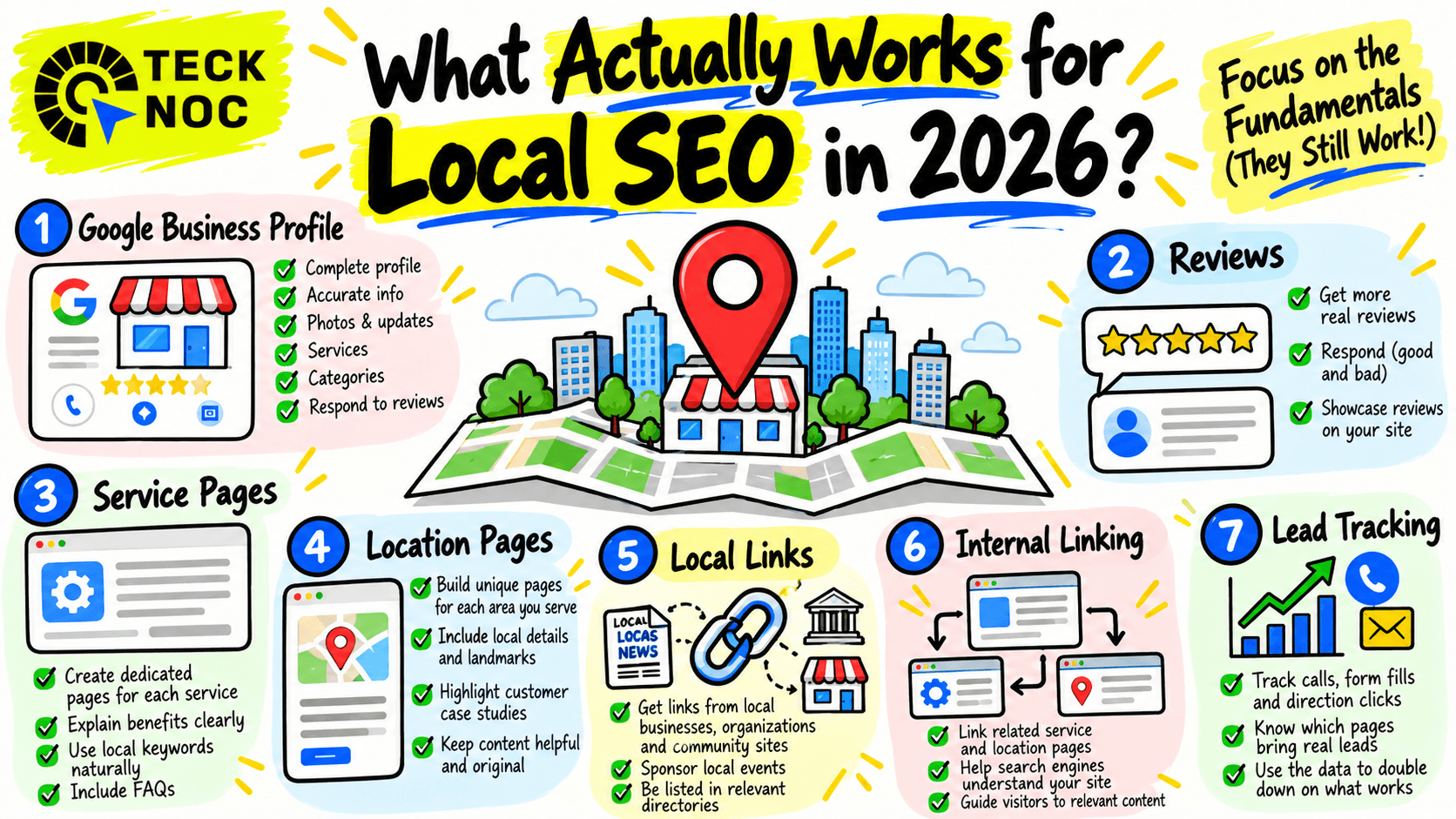
For a broader local strategy, see what works for local SEO in 2026.
How Many Calls Should a Google Business Profile Generate?
There is no universal number.
The answer depends on:
- industry
- city
- competition
- search volume
- season
- business hours
- urgency
- review strength
- ranking position
- service type
An emergency plumber may naturally receive more calls than a wedding photographer because the customer journey is different.
Instead of chasing a generic conversion rate, compare your own performance over time.
Look at:
- month over month calls
- year over year calls
- website clicks
- form submissions
- bookings
- qualified leads
- revenue
That tells you much more than comparing yourself with a random benchmark online.
Final Thoughts: Views Are Only the Beginning
Getting Google Business Profile views is a positive sign.
It means people are finding the business.
But visibility is only the beginning.
The real question is whether the profile gives the right customer enough confidence to take action.
If views are growing but calls are not, look beyond rankings.
Check relevance.
Check reviews.
Check photos.
Check your services.
Check the website.
Check your tracking.
A Google Business Profile should not just be visible.
It should help turn local searches into real business.
Need Help Turning Google Business Profile Views Into Leads?
TeckNoc helps local businesses improve Google Business Profile visibility, strengthen local SEO, and turn more Search and Maps activity into real enquiries.
If your profile is getting seen but the phone is not ringing, we can review the full path from search visibility to your website and conversion tracking to identify where potential customers are dropping off.
Explore our SEO services in Texas or contact TeckNoc to discuss your local search strategy.
FAQs
Why is my Google Business Profile getting views but no calls?
People may be finding your profile without seeing enough relevance, trust, or urgency to contact you. Common causes include weak reviews, incorrect categories, unclear services, poor photos, outdated information, or a website that does not convert visitors.
What counts as a view on Google Business Profile?
A view generally means your Business Profile was viewed on Google Search or Google Maps. It does not necessarily mean the person contacted the business or intended to buy.
How can I get more calls from Google Business Profile?
Start by checking your primary category, services, phone number, hours, reviews, photos, and website landing page. Make it easy for customers to understand what you offer and contact you quickly.
Do reviews help generate more Google Business Profile calls?
Reviews can strengthen customer trust and help people choose between competing businesses. Genuine, recent, detailed reviews can make the profile more convincing.
Does adding services to Google Business Profile help?
Adding accurate services helps customers and Google better understand what your business offers. Focus on real services rather than adding unnecessary terms for keyword purposes.
Do Google Business Profile photos help get more customers?
Good photos can improve trust and help customers evaluate the business. Use real images of your work, team, premises, products, or projects where relevant.
Can the wrong business category reduce calls?
Yes. If your category does not accurately represent your main service, you may appear for less relevant searches or fail to communicate what the business actually does.
Why do I get website clicks but no phone calls?
The website may be creating friction. Check mobile usability, page speed, service clarity, contact buttons, forms, reviews, and whether the landing page matches what the customer searched for.
How do I track leads from Google Business Profile?
Track GBP calls alongside website calls, forms, bookings, direction requests, and landing page conversions. Looking at only one metric can give an incomplete picture.
How long does GBP optimization take to increase calls?
There is no fixed timeline. Results depend on competition, existing visibility, reviews, profile quality, website conversion performance, and whether the profile is reaching the right searches.